Showing posts with label Animation. Show all posts

Wednesday, 27 November 2013

NPC Navigation: The Insomniac Way

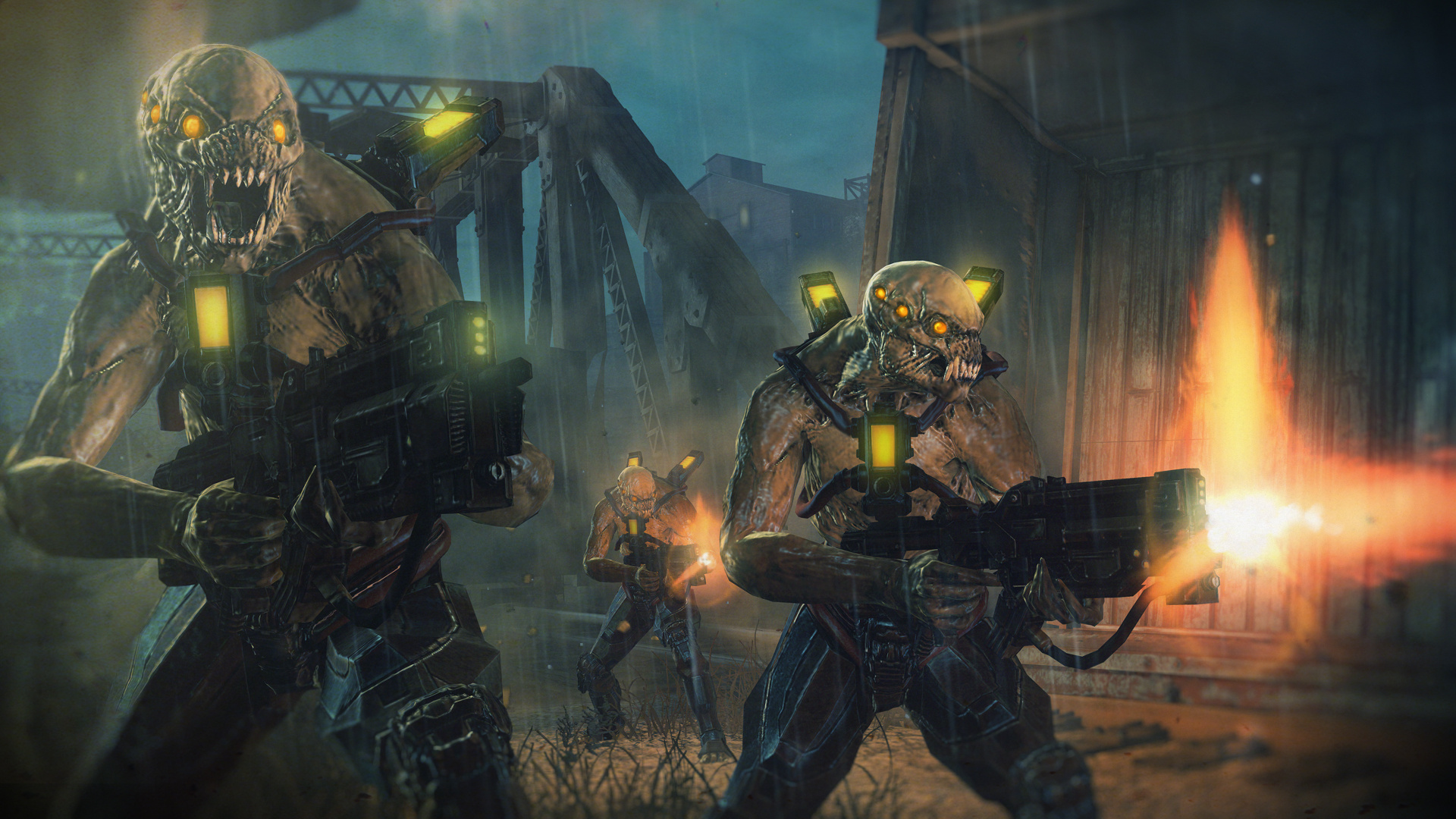
Navigation is an extremely important aspect of creating engaging and interesting game AI. Anyone who's witnessed an NPC walk tirelessly into walls and obstacles knows it can break the immersion very quickly. In order to create visually pleasing NPC navigation, a delicate balance between goal based path-finding, obstacle avoidance, and animation must be established. This is demonstrated in excellent fashion by Insomniac studios (creators of Spyro The Dragon, Ratchet and Clank and Resistance) in their recent titles released on the PS3 console. I recently had the privilege of watching Reddy Sambavaram's GDC talk (http://www.insomniacgames.com/navigation-gdc11/) detailing the navigation systems of their recent games and some techniques from their upcoming titles. With this new-found knowledge, I will provide a brief rundown of how Insomniac achieved such fluid character navigation in their recent titles (Particularly the Resistance series).

Navigation can be seen as a step by step process, so I will try to explain it as such.

Step 1: Path-finding

Finding the shortest, or most cost effective path between a series of checkpoints (called nodes) is a fairly simple process. First, a cost value is assigned to each node. This cost is usually representative of the distance or time it takes to travel to the node, however this may not always be the case. If desired, the cost could literally be a monetary value required to travel from node A to node B.

Once the cost of traveling from node to node has been assessed, the A* algorithm can be applied to determine the most cost effective path. This is without a doubt the easiest part of the path finding process. The hard part is selecting our nodes.

When you hear the word node, you may be tempted to think of a single coordinate in space. Most of the time this is not an incorrect assumption, however in a comprehensive 3D game engine, path nodes are usually represented as geometry. These bits of geometry are more commonly referred to as Navigation Meshes (Nav Meshes for short).

Image captured from Reddy Sambavaram's GDC presentation

Nav Meshes are convex 3D polygons which are used to represent the space that NPCs can traverse. In the path-finding algorithm, these are our nodes. Nav meshes can be (and have historically been) generated in different ways. In Resistance 1 and 2, the nav meshes were laid out by level designers in Maya. Eventually this system was overhauled in favor of an automated nav mesh generator in the team's world editor. Insomniac's process of automated nav mesh generation uses voxels (3D volumetric pixels) to approximate the traversable area of the game world. This is done in a step by step process as follows:

Image captured from Reddy Sambavaram's GDC presentation

Once the nav mesh has been generated, and the A* algorithm applied we can move on to:

Step 2: Steering

Steering NPCs in a realistic way is mostly a combination of obstacle avoidance, and spline interpolation. These techniques ensure that enemies do not walk into objects, or move in boring linear paths. For simple navigation around corners, Insomniac uses the "string pull" method to smooth the AI's turning.

Image captured from Reddy Sambavaram's GDC presentation

For more complex sets of obstacles however, this technique is not enough

In scenarios with multiple small obstacles, "escape tangents" are computed for each obstacle. These are simply possible vectors which allow the NPC to avoid contact with the obstacle.

Image captured from Reddy Sambavaram's GDC presentation

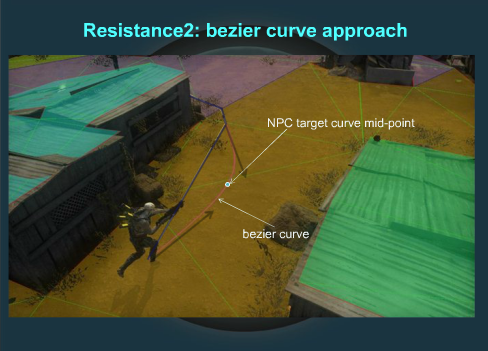
Simply having NPCs move in straight lines while avoiding obstacles is not enough. These escape tangents are used as the basis of bezier curves which will produce a fluid, more realistc path of motion.

Ok, now we have NPC's that can avoid obstacles, and move along a spline. What else is left?

Step 3: Animation

In order for the AI to traverse a dynamic environment in a believable fashion, each NPC must animate differently according to obstacles/interactables in the game world. The most notable example is when the AI must traverse some sort of height difference, whether it be by climbing, jumping up, or jumping down. Insomniac solves this issue by using a system called "custom links". Custom links are like nodes, except they allow the designer to specify what animation the NPC will play upon traversal, and even allow the NPCs to modify the cost of individual nodes (for example if one NPC climbs through a window, the link's cost will increase while he does so). This technology allows for highly dynamic AI that can traverse the level in interesting ways.
These 3 main components when done right, come together to create very believable AI navigation in games. Insomniac does an exemplary job tying these components together, and with very impressive performance to boot. If you'd like to learn more about Insomniac's navigation ingenuity, check out Reddy Sambavaram's original GDC Talk (http://www.insomniacgames.com/navigation-gdc11/).

Tuesday, 18 September 2012

A Brief Analysis of animation in Persona 4 Arena

image http://bulk2.destructoid.com/ul/230750-a.jpg

Arc System Works' Persona 4 Arena is a 2D Fighting game based off of the cult classic JRPG, Persona 4. The game has a gorgeous Anime art style and happens to be my latest gaming addiction. Here are some of my observations about the animation techniques used by the developers to make the game such a treat to watch.


- Overview:

The game uses 2D sprites for the characters, which are placed on top of layered, 3D Rendered backgrounds. When the camera pans around the stages, objects in the foreground move more dramatically than those in the back. This gives the visuals a nice sense of parallax. The game also makes use of particle systems for dust clouds on running characters, and hit sparks during combat.

- The Arcsys Sprite Process:

Arc System Works is known for creating fighting games with some of the most detailed, fluid, high resolution 2D sprite work in business. In order to achieve this, the developer uses a unique process to ensure quality and timely completion.

Each character is made up of around 1000 unique frames of animation. In a game with 13 characters, creating this much art is no easy task. For this reason, Arcsys uses Toshimichi Mori's  trademark 3D Rotoscoping method.

Step 1: Characters start as 2D concepts and each pose is drawn by hand.

Step 2: A 3D model of the character is made and posed according to the concept drawings.

Step 3: 2D Line-art is generated based on the 3D model. This is used as a guideline for the final sprite.

Step 4: Colour, light, shadow and additional details are applied to each frame.

Step 5: Each frame is converted into a dot image (the sprite itself).


image: http://cdn.siliconera.com/wordpress/wp-content/uploads/2012/02/image4.jpg

- Animation Style (With Respect to the 12 Principles of Animation):

Persona 4 Arena's visuals exemplify all aspects of the 12 basic animation principles. The characters all have unique appeal, and their designs are very much rooted in solid drawing thanks to the use of 3D models. Anticipation can be seen in the characters as they prepare to jump, and their bodies stretch as they reach the height of their jump (this helps portray a sense of height). All attacks are very exaggerated and most of them follow very blatant arcs. Every animation contains some sort of subtle secondary action, for example: clothing/hair movement or changes in facial expression. Finally, heavy attacks feel weighty due to their long follow-through.


-The importance and influence of good animation in a fighting game:

In a fighting game, any move performed by a character can be broken up into 3 phases.

- Startup: The time it takes for the move to become active.

- Active Frames: The duration of the attack that is harmful to opponents.

- Recovery: The time it takes the character to return to neutral after the move's active frames end.

When a character is touched by an attack they enter one of two phases:

- Blockstun: If the attack is blocked, the defending character is stuck in a blocking animation for a set number of frames, then returns to neutral

- Hitstun: If the attack connects, the player getting hit is stuck in a recoiling animation for a set number of frames.

Why is this important?

Let's say character A hits character B with a heavy attack and character B blocks. If the blockstun caused by said heavy attack lasts less time than the attack's recovery, character B can punish character A for doing the unsafe attack as long as his attack is fast enough. Conversely, if character A's heavy attack causes blockstun that lasts longer than his attack's recovery, he can follow it up safely with another attack.

Similarly, If character A's attack connects with character B (and is not blocked) and it causes hitstun lasting longer than the attack's recovery, character A can follow up the attack and produce a combo. A combo is a series of attacks which if performed consecutively after the first hit lands, cannot be blocked. This is a cornerstone of almost every modern fighting game and is 100% dependant on numbers of animation frames. In high level fighting game competition, this is referred to as the study of Frame Data.

In competitive play, it is often best to opt for the safest (least punishable) attack unless a hit is guaranteed. A move's frame data is responsible for determining how safe or unsafe it is. In addition to damage, hitbox size, and unique properties, frame data is directly responsible for how strong any given move is and is instrumental in balancing a fighting game.

All un-labeled images were captured by myself. If you'd like to see Persona 4 Arena in motion, check out one of my match videos. Warning: May contain a bit of NSFW language. This tends to happen during heated fighting game sessions.

http://www.youtube.com/watch?v=DWSbwv1uFao&feature=relmfu

PS: I'm the guy with the Katana.